Throughout my career of crafting and executing Local SEO campaigns for professional HVAC companies, much has changed, from algorithm updates to shifts in consumer search behavior.
One thing that has remained constant is the value of appearing in search results for local queries like ‘HVAC company near me’.
I’m Nolen Walker, the founder and CEO of HVAC Webmasters. Based on my experience as an SEO agency owner, I’ve written the ultimate guide to Local SEO for HVAC companies.
Key Takeaway
HVAC companies can succeed with Local SEO by optimizing their Google Business Profiles, publishing location-specific website content, and building consistent, relevant citations across the web.
Local SEO’s Impact on HVAC Companies
Local SEO for HVAC is the practice of optimizing your HVAC business for local searches on Google and other search engines.
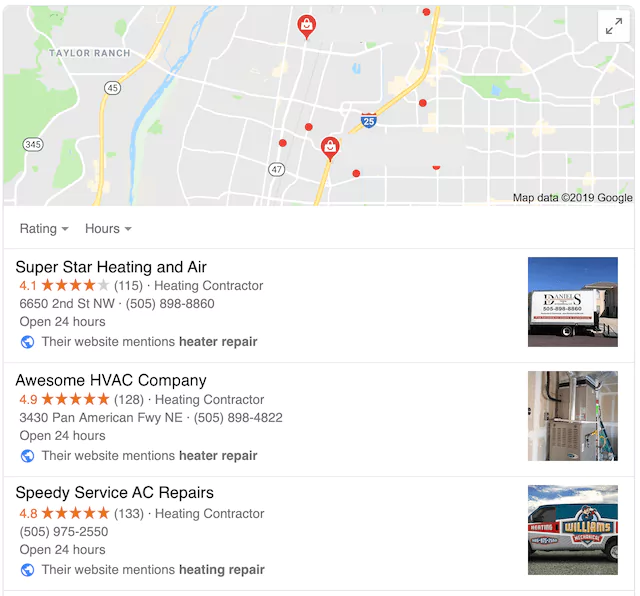
Specifically, the practice targets Google Map 3-Pack rankings with your Google Business Profile and regionally-targeted landing pages for traditional organic results.
Local SEO encompasses various SEO practices, including NAP citations, Google Business Profile listings, and local website landing pages, all of which are essential for HVAC companies.
Why HVAC Companies Need Local SEO
Local SEO is tremendously important, given how potential clients typically search for your heating and air services (by location).
Over the past decade, my agency, HVAC Webmasters, has worked with thousands of contractors to achieve favorable local SERP results.
Check out some of my agency’s case studies to learn more.
Not only should your organic on-page and social media content include a focus on local keywords that rank well for geographic factors, but there are additional elements to local SEO that you can employ to help search engines like Google recognize where you are.
This is what ensures you’re prominently displayed in SERPs. Some of the local SEO elements that a strong internet marketing plan will include:
- Citation Management
- Google Business Profile management
- E-E-A-T Signals
- AI Crawlability
- Embedded Google Maps on Contact Page
- NAP Consistency
- Review Management
- Schema Markup
You don’t have to know how to execute these variables yourself to have a successful HVAC website.
However, you need to leverage experts in local SEO (like us) who can assemble all the pieces of the puzzle to make your site appear strong and logical when Google retrieves location-specific results for users.
Moz listed these (and several other factors) when considering local search ranking results, and some elements weigh more heavily than others when moving the dial on your SERP position.
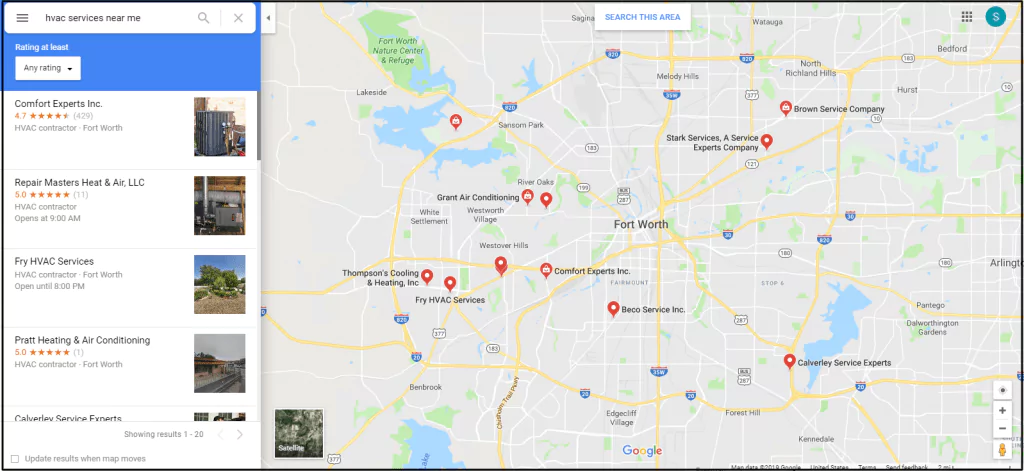
Google Map 3-Packs appear at the top of SERPs for most local queries, such as hvac contractor near me, ac repair services near me, and other related phrases.
Local SEO Ranking Factors for HVAC
Once HVAC companies understand the importance of local ranking, they naturally wonder how to influence it.
Google Maps and Google Search rankings are based on separate algorithms, so each requires a unique solution. That said, some aspects of each algorithm are carried over to the other.
Below, I will outline local SEO ranking factors based on first-hand experience with hundreds of HVAC companies. Mastering each factor gives your company the best chance to rank on both Google Search and Google Maps.
Though Google’s algorithm continuously evolves, it is vital to establish a baseline of best practices for consistent growth in your industry.
Google Business Profile
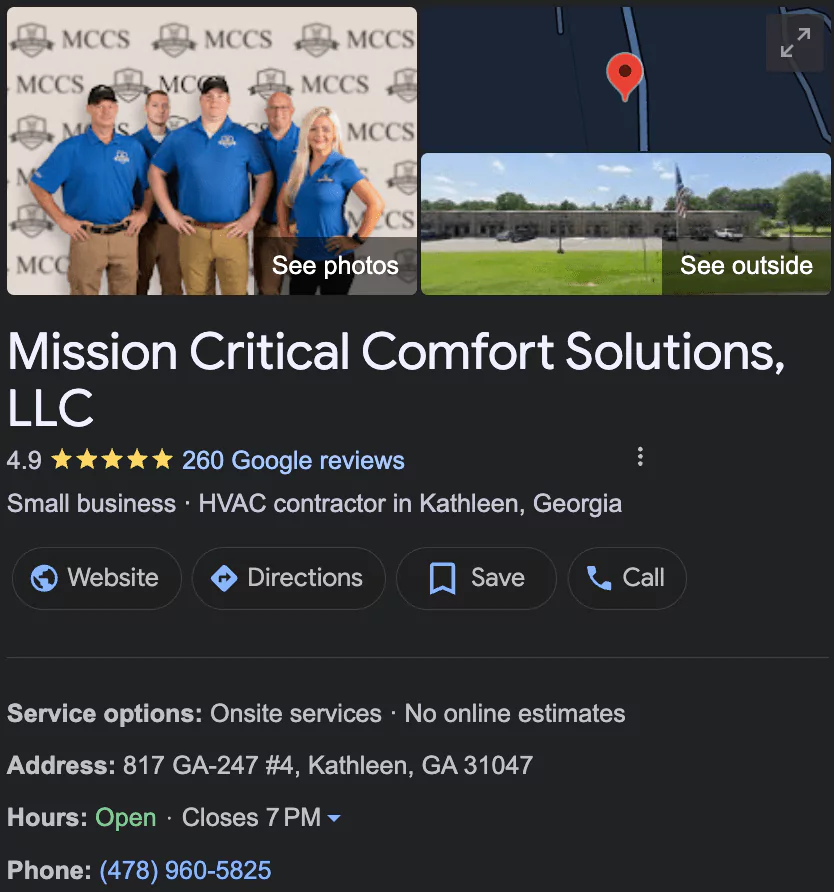
Claiming and optimizing your Google Business listing is crucial for local SEO. You can claim your business here and start ranking on the Local Map 3-Pack.
You should ensure your contact information is accurate, upload unique photos, and provide answers to the FAQ. You should also enter your website URL in the appropriate GBP field.
Google Business Profile serves as your local SEO foundation. Without a listing, ranking becomes implausible. Sometimes, HVAC companies have multiple listings, so it’s best to merge them.
You must also decide whether to list your address publicly, since most HVAC businesses are service-area businesses (SABs).
Your GBP listing will also serve as a central hub for your Google Reviews, which we will discuss below.
You can share your review link, email signature, and other promotional content in your marketing materials.
Google Business Profile reviews have the greatest impact on Google Maps rankings and increase GBP conversions.
Google Reviews
Generating Google Reviews is crucial to the local SEO success of HVAC companies. Google makes it easy to share your review form by providing a shortlink you can share with customers.
Still, HVAC companies often overlook the importance of staying on top of the review generation process. Investing in a local SEO tool, such as DataPins, solves the problem for good.
DataPins sends automated review requests to customers after finishing jobs. When customers leave Google Reviews, your company gains more credibility and converts more prospects.
In addition to requesting reviews, DataPins also empowers contractors to perform jobsite check-ins.
If you provide enough service, customers may eventually leave negative reviews. A few negative reviews won’t hurt your business, but responding to each review makes sense.
If they decide to return and use your company, try to address their concerns and provide excellent service. Remember that prospects are watching how you react to every review.
DataPins
The DataPins tool does more than increase review request conversions. The app also helps HVAC companies rank for more keywords on Google Maps and the Google Map 3-Pack.
One of the most significant ranking factors on Google’s Map 3-Pack is the content on the associated website.
Each Google Business Profile includes a field for the business to enter its website URL. When that website features DataPins, it powers the entire Google Business Profile.
The Map 3-Pack algorithm can now detect the various services you offer (via DataPins captions) and the areas where you performed the jobs.
Third-party studies have confirmed that nearly 50% of all search queries are undetectable, with a significant portion of those being long-tail keywords.
For example, a string of words like american standard air conditioner repair service in hershey pennsylvania is not something you can find on keyword research tools. Still, it represents the type of query that drives visitors to your Google Business Profile.
NAP Citations
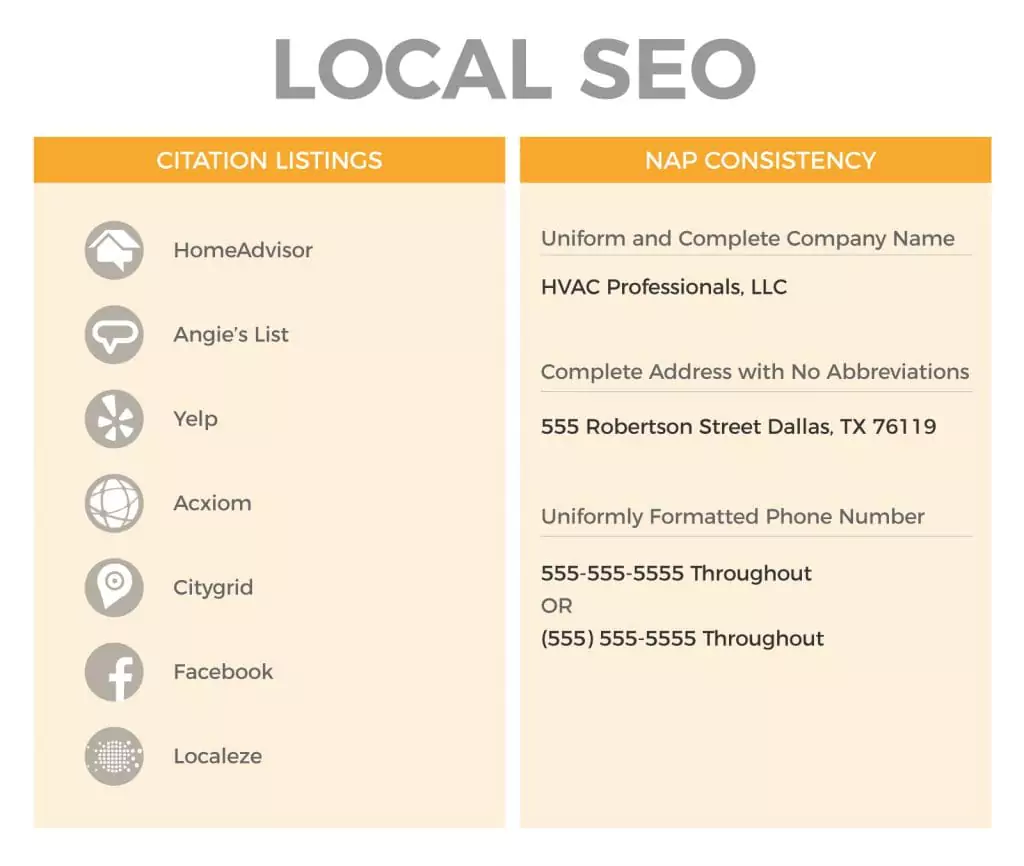
The terms “NAP” and “Citations” are often used interchangeably; however, to understand them as critical elements for local SEO, it is best to examine what they represent: Name, Address, and Phone (NAP).
It’s a no-brainer that potential customers searching for local HVAC businesses via Google will want easily accessible contact information.
Especially if the issue is emergent—such as a broken furnace in the middle of winter—a viewer needs to be able to find your phone number in seconds to schedule a repair!
NAP data is vital for user experience, demonstrates to Google that your site is well-developed and valuable, and explicitly communicates contact information.
This makes you an excellent fit for searches that match your stated service area (determined by location keywords or the address listed), which means Google and other search engines will give your site higher rankings to meet that need.
NAP is crucial to your primary HVAC website’s SEO, including on-page content, a thoughtfully designed Contact Page, structured data, and your secondary websites.
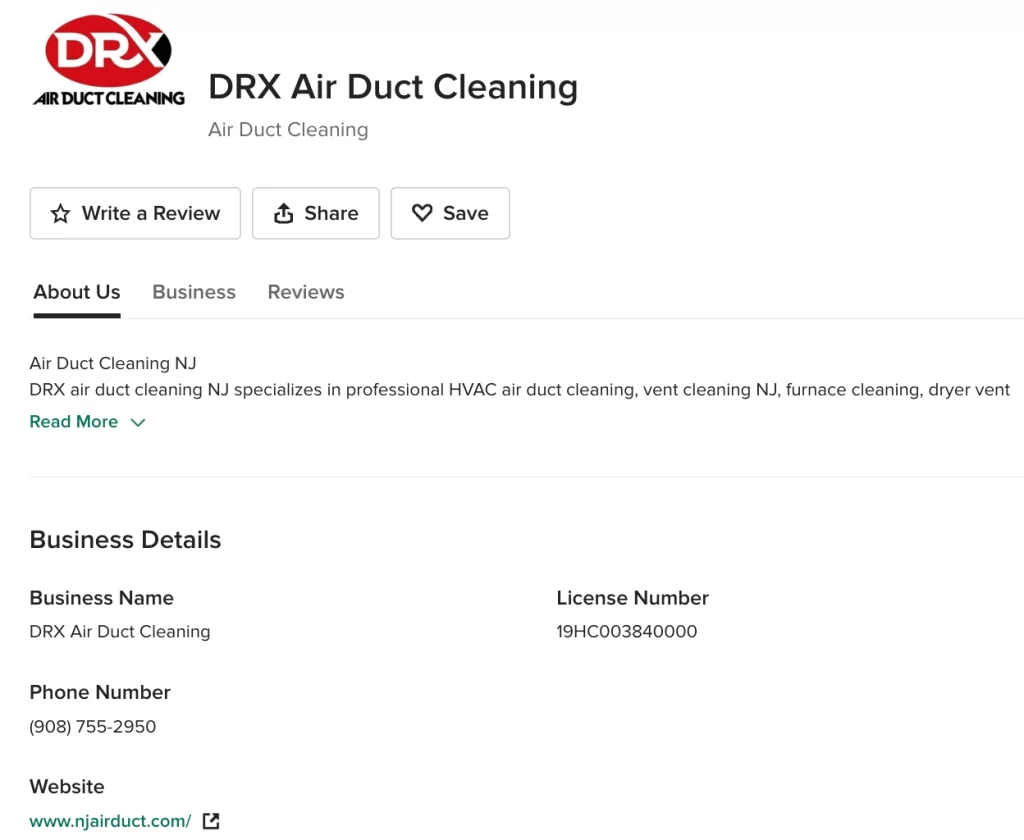
Consider social media business pages, Google Business Profiles, and directory listing pages, among others, which serve as citations for your HVAC business.
All of these potential entry points are opportunities to provide a great user experience by ensuring NAP consistency, optimizing pages, and managing citations across the web.
This establishes authority and reliability regarding your overall web presence, significantly boosting your local SEO.
Local SEO Content
Organic content has a significant, long-term impact on your ability to rank well for local SEO. For Localized Organic Ranking Factors, the on-page signals count for 26% of your ranking score.
What does this mean? It’s (hopefully) no surprise at this point that you need high-quality copywriting on your website.
You can’t put a single paragraph on a webpage about HVAC services and expect that to inform your potential customers in any meaningful way, nor will it reward you with a top spot on the search engine results page.
I will go ahead and hammer this point home: Google wants what your site visitors want.
When potential customers click through to your website from the results page or a citation page, they expect to find relevant information. There is no value if you have generic or lackluster content, or if your content volume is minimal.
You’re not adding anything worth reviewing; thus, you aren’t considered an optimal candidate for Google to serve up in the rankings.
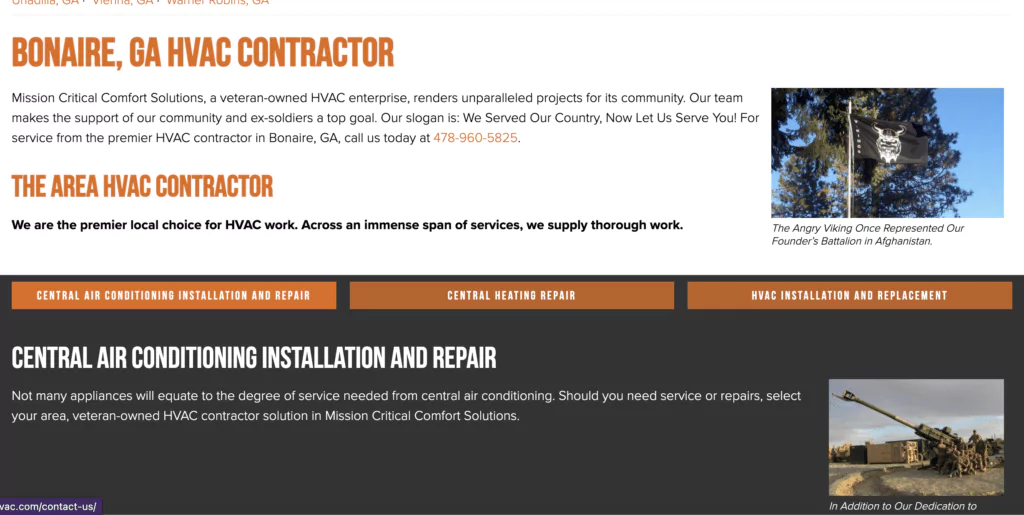
We understand that high-quality content is crucial for HVAC businesses, but incorporating location-specific keywords into the content can have a significant impact on local SEO.
It’s one thing to kick butt for the keyword search “best heating company,” but if the user follows suit with typical behavior, they’re going to tack on their city name or zip code to get more tailored results.
In fact, Google often prompts users to add “near me” or even their city (based on location services). You will not seem relevant if you haven’t optimized your service area (or areas).
Using strong H1 tags with the city name, along with high-performing search keywords, will help your site make significant improvements.
Domain Authority
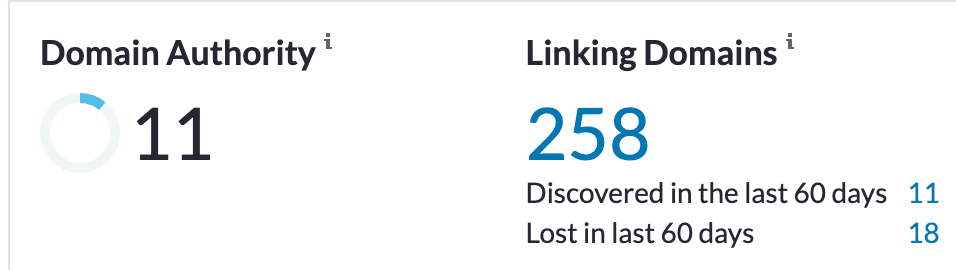
Another factor to consider is Domain Authority. In a nutshell, MOZ’s domain authority metric is a 1-100 ranking that helps gauge your site’s strength relative to other trusted domains based on links.
This means establishing outgoing links to reputable organizations (such as unions, trade organizations, and libraries) and incoming links that validate your content as traffic-worthy.
This doesn’t mean you should engage in shady linkback tactics. Instead, it reinforces an organic SEO strategy that acknowledges good content, providing value to the internet and its users, as the linchpin of an effective internet marketing campaign.
Receiving links from nearby organizations can bolster your local reputation and cultivate relationships.
User Experience
User experience influences your local rankings, as Google’s primary objective is to provide users with a seamless experience that helps them achieve their goals.
A slow-loading website with poor navigation and a complex mobile layout discourages users from taking action, such as filling out a contact form or clicking a phone number.
As a result, Google will demote this website in favor of a competitor that offers a better user experience.
Content and information must be good, accessible, and accurate, and you must also ensure that all typical user experience elements are intact.
This includes:
- Engaging Design
- Intuitive Site Navigation
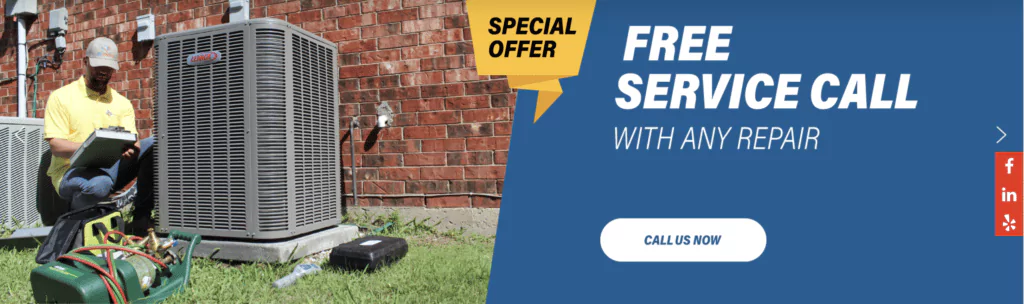
- Obvious “Call to Action” Buttons
- Optimized Image Size For Device
- Prompt Page Loading
A strong website UX contributes to local rankings, just as SEO does. Click-to-call buttons are especially helpful to local consumers.
Local Keyword Optimization
Local keyword optimization is similar to traditional SEO, but it focuses on local terms and phrases.
Company websites should still follow standard optimization protocols, as best practices remain valid when crafting a local keyword strategy.
My agency, HVAC Webmasters, is a leader in online marketing for heating and cooling companies. I’ve worked with contractors in this industry for decades and know what it takes to market effectively to their core audience.
Local keyword optimization consists of the following:
- Body Content: Distribution of local terms throughout the body text
- Meta Descriptions: Inclusion of local phrases within web page meta descriptions
- Title / Header Tags: Placement of local keywords within title and header tags
- URL Slugs: Disposal of local terms within URL slugs
With WordPress, website managers can easily manage title and header tags, body content, and URL slugs. Internal linking is another tactic that emphasizes HVAC keywords.
Link to your most important pages from other internal pages, and use the anchor text to include the relevant keyword. Of course, ensure that your terms make sense to the reader and avoid spammy keyword placement.
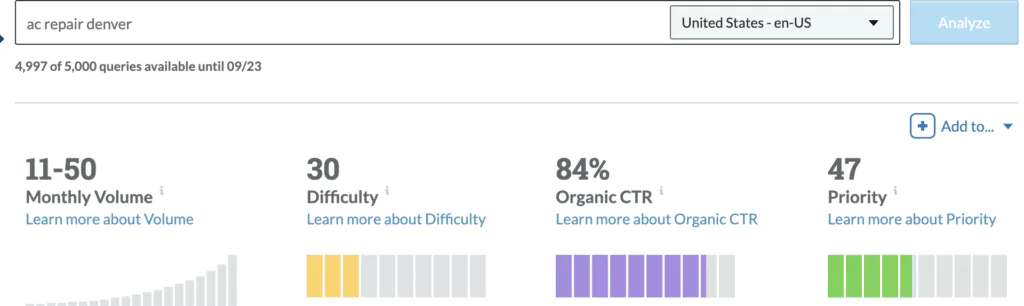
Keyword research for local SEO can yield lower search volumes with lower difficulties. Remember that many local queries don’t register volume on research tools, but they still drive traffic to your website and GBP.
E-E-A-T
Experience, expertise, authoritativeness, and trustworthiness are characteristics that Google looks for in local HVAC websites.
These principles are becoming increasingly important due to Google AI Overviews and AI Mode, as well as the December 2025 Core Update.
HVAC websites can demonstrate E-E-A-T in various ways, including an informative “About Us” page, an embedded review slider featuring verified feedback from Google Business Profile, Yelp, and other trusted sources, and showcases of recent jobs (such as pins and check-ins from DataPins).
Check out each letter of the acronym below:
- Experience: Demonstrate hands-on experience with HVAC services
- Expertise: Convey expert status related to the HVAC industry
- Authoritativeness: Earn endorsements (links, mentions, etc.) from other credible sources
- Trustworthiness: Accumulate and showcase customer feedback, primarily through reviews
E-E-A-T extends beyond your website; it also examines your relationship with other digital entities, such as your Google Business Profile or Facebook Business page.
As a result, it’s essential to invest in a comprehensive branding strategy for your digital presence.
How AI Impacts Local SEO for HVAC Companies
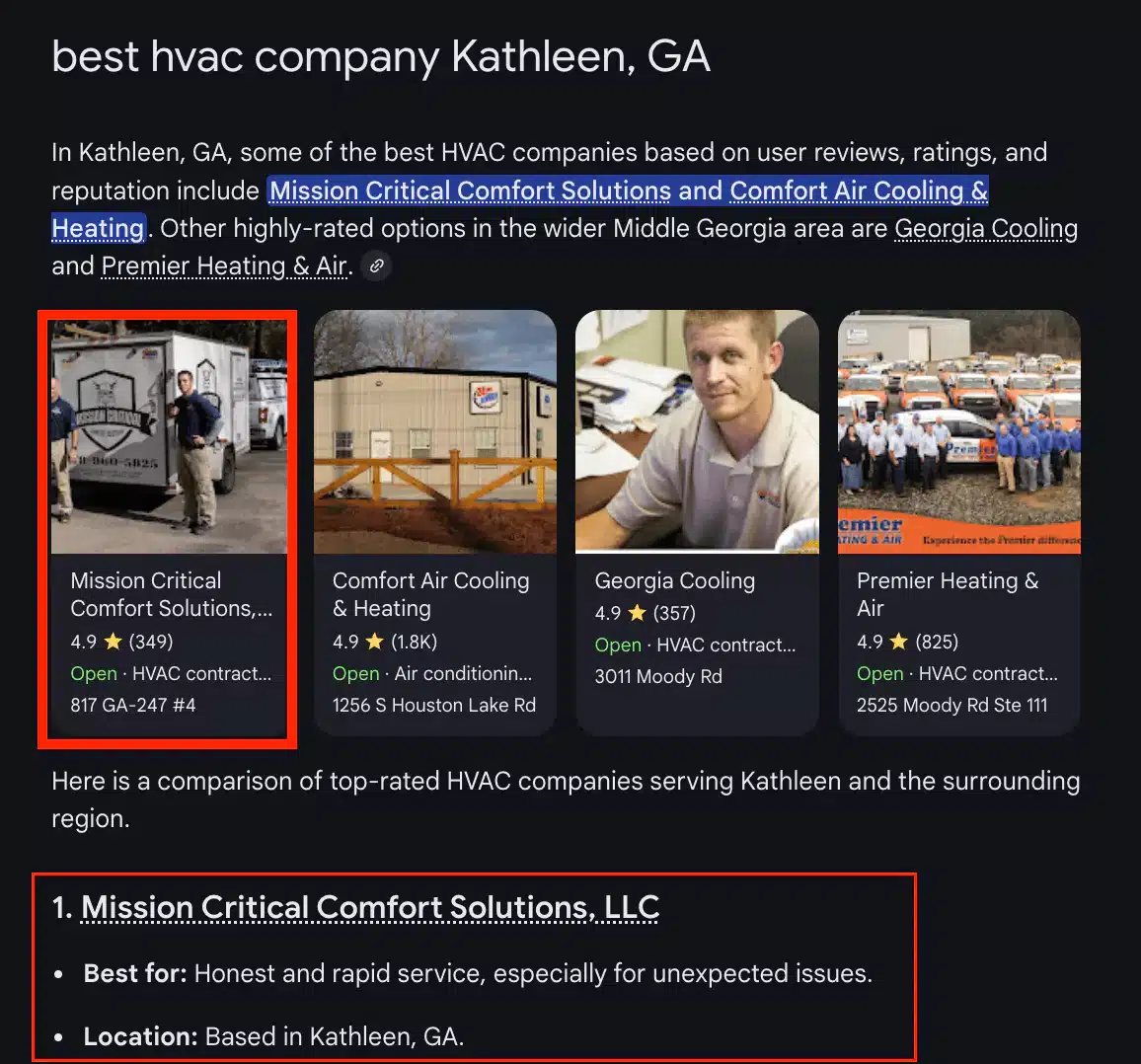
AI platforms such as Google AI Mode also influence local SEO in the modern search landscape.
Google’s AI Mode looks for many of the same signals as their traditional algorithm, including Google Business Profile optimization, Google reviews, and E-E-A-T signals.
The two additional points of emphasis for ranking in Google AI on the local level include:
- AI Crawlability
- Query-Fan Out Optimization
AI Crawlability
For your website to be referenced in AI-generated responses, Google Gemini must be able to crawl and access your website without being blocked or throttled.
Some HVAC businesses are unaware that their CDN, such as Cloudflare, blocks AI bots from crawling their websites by default.
Ensure that your agency or the person handling your local SEO campaign updates these settings to make your website accessible to AI crawls.
Query-Fan Out Optimization
Google AI Overviews and AI Mode use a concept called query fan-out, where they search for multiple queries simultaneously and then synthesize the results of each query to provide a citation.
In layman’s terms, your target pages must rank for multiple long-tail queries rather than just the primary keyword.
The more relevant keywords your page or post ranks for, the more likely you are to show up in AI-generated results.
Making The Most of Local SEO for HVAC Companies
Local SEO is crucial to your HVAC company’s online presence. Most of your target consumers will search for queries like “ac repair near me” and view the Local Map 3-Pack results. As a result, it’s vital that your listing appears within the pack.
The techniques above, including citations, GBP optimization, review generation, and DataPins, are each essential to ensuring local map rankings.
Beware of misinformation regarding local search optimization for HVAC contractors. Ensure your sources have experience and expertise.
For example, I’ve provided digital marketing services to heating and cooling companies for over a decade at my agency, HVAC Webmasters.
My entire process is dedicated to helping you rank for local terms on Google and other search engines.